
Link Pay Complete Guide
Follow these steps to use Link Pay safely and correctly. Always use official links only.
1. Register & Login
Open Official Link
Go to: https://mobile.linkpulsex.com/#/pages/auth/register?invite=#/?invite=xiKXMx
Create Account
Register with your mobile number / details as shown in the app. Complete any verification if asked.
Login
Use the same link to login anytime. Bookmark the official page.
2. How to Buy Token
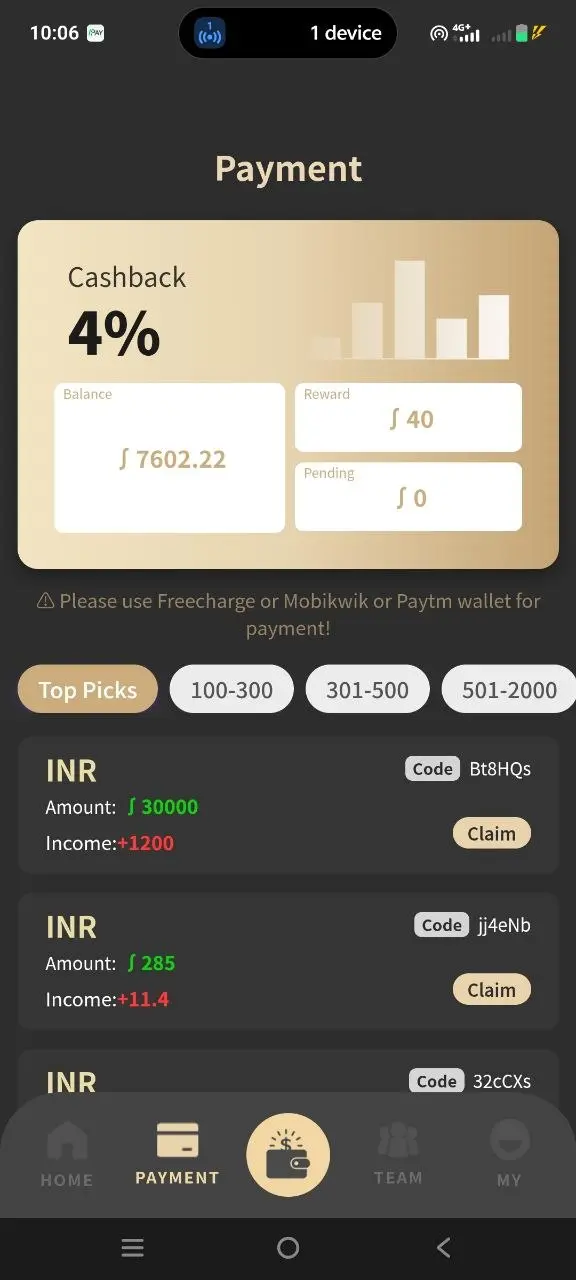
From the Buy tab you will see UPI Plus, UPI and USDT options.
Select Order
Choose an available order (Min 100 – Max 100000). Check Price + Reward = Token you will receive.
Pay via UPI
Complete the UPI payment as instructed. Keep payment screenshot if needed.
Receive Token
After confirmation, Token is credited (1 Rs ≈ 1 Token). Reward (≈3% + extras) is added.
3. How to Sell
Check Rates
On Home you see current rates (e.g. 1 USDT = 111 Token). Exclusive campaigns may show higher rates.
Link UPI / Auto Sell
Use “Link Upi”, “Auto Selling” or “Sell Set” options under your Token balance for faster sales.
Track History
Check Sell History and UPI Sell History from the Mine tab.
4. Team & Referral
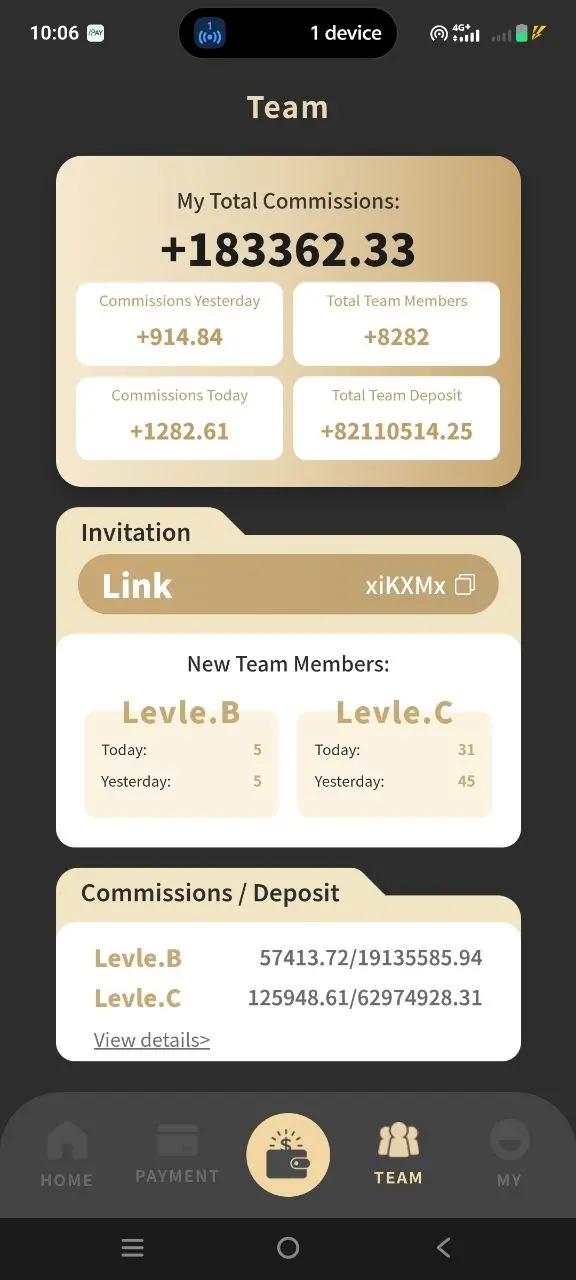
Open the Team tab to see:
- Team Count & Total Commission
- My Total Profit
- Invitation Link (share with friends)
- Level 1 Commission = Buy × 0.3%
- Level 2 Commission = Buy × 0.2%
Share only your personal invitation link so commissions are credited correctly.
5. Safety Tips
- Use only official links: mobile.linkpulsex.com and this site thelinkpay.in.
- Never share your password or OTP with anyone.
- Join the official Telegram for announcements: t.me/+et1-IuBXv1JlODQ1
- Check “How to ensure the safety of funds” inside the app News section.
- Keep screenshots of payments and orders.
- Contact Official Service from the Mine tab if you need help.